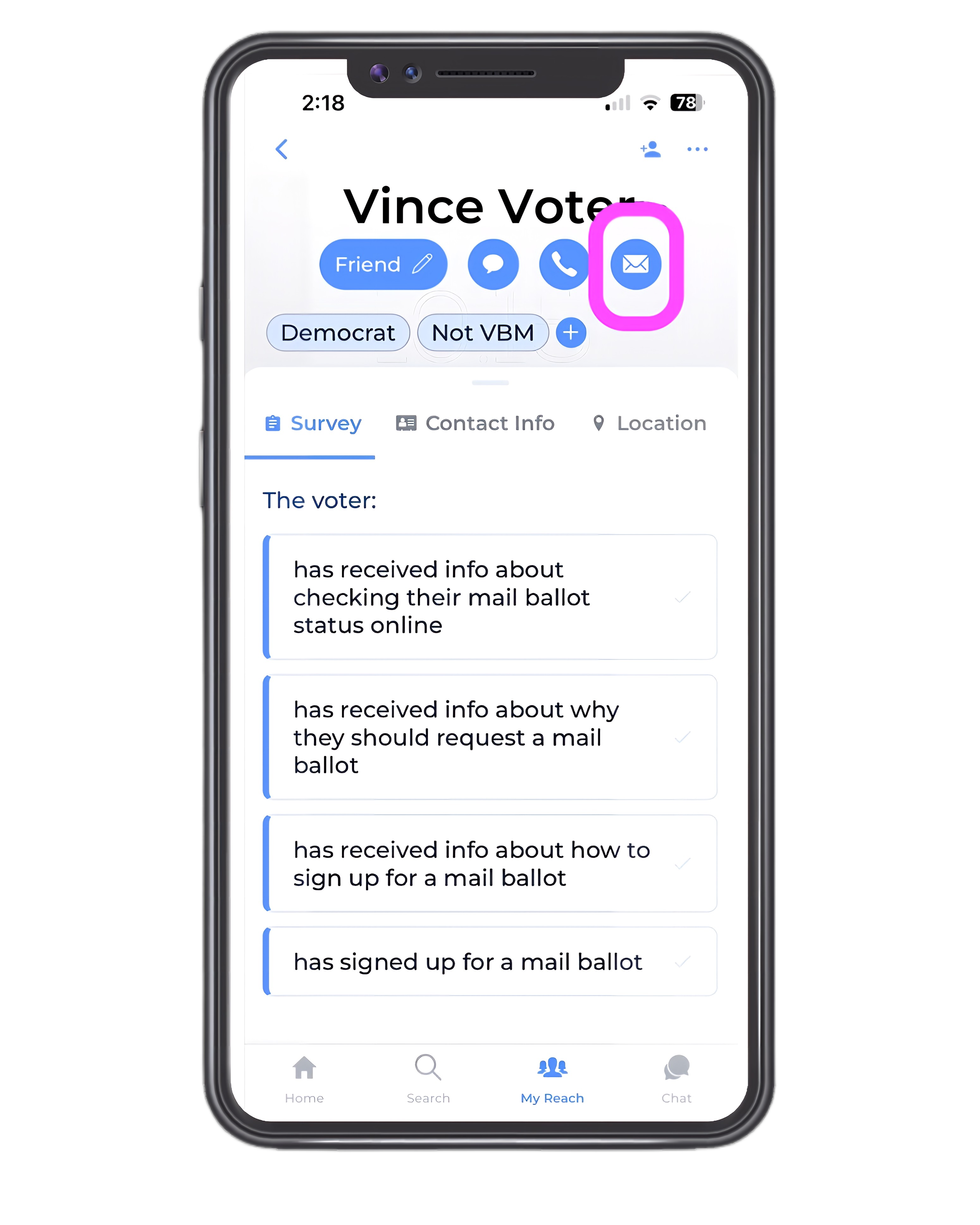
Manage your voter's contact information easily
A lot of your contacts may have missing or incorrect email and mobile phone numbers.
If you're planning to email or text this voter, update the phone and email numbers to make your job of sharing information much easier.
REMEMBER: This is your information. We never share it.
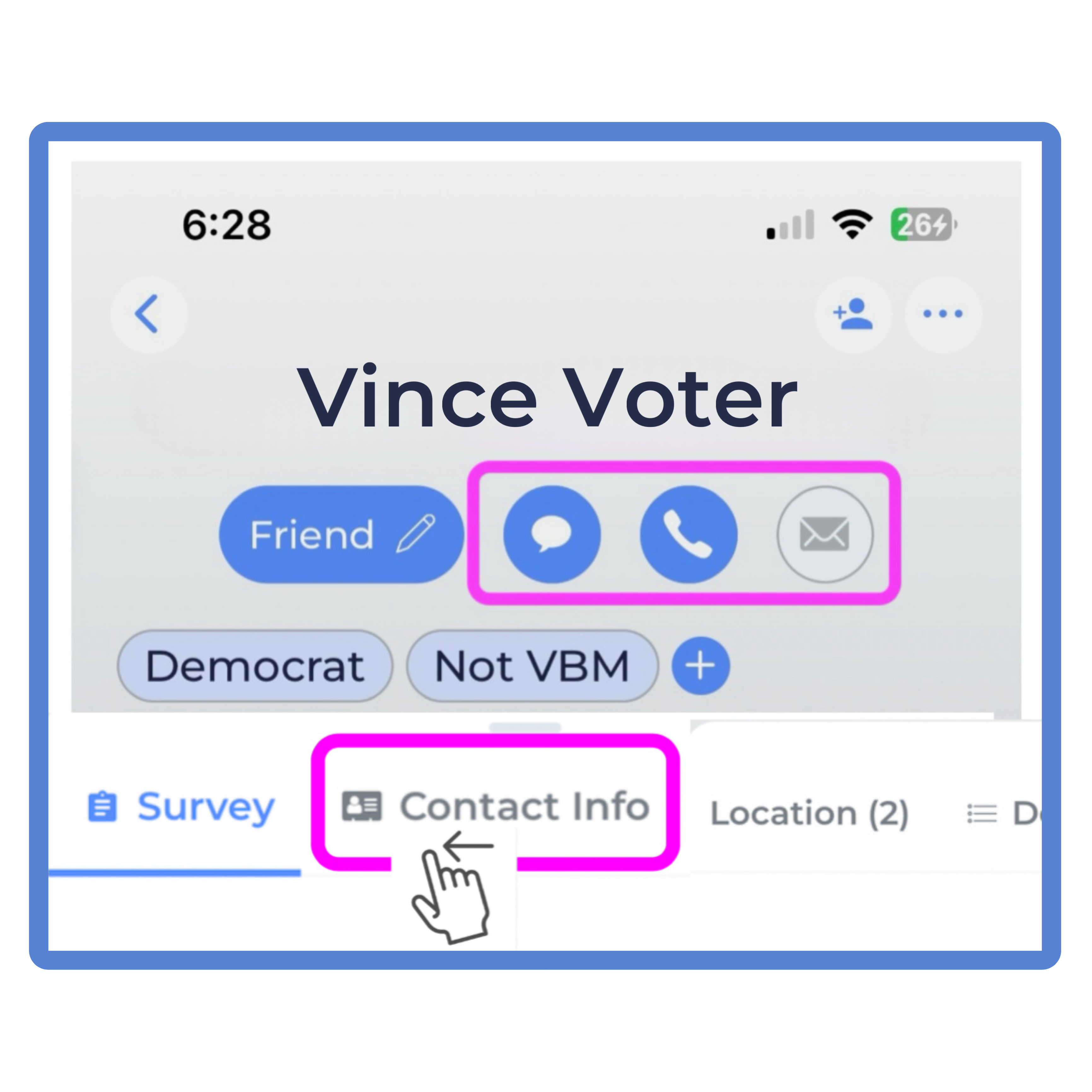
Open the Contacts Tab
Choose to ADD a new Mobile or Email
or EDIT existing information.
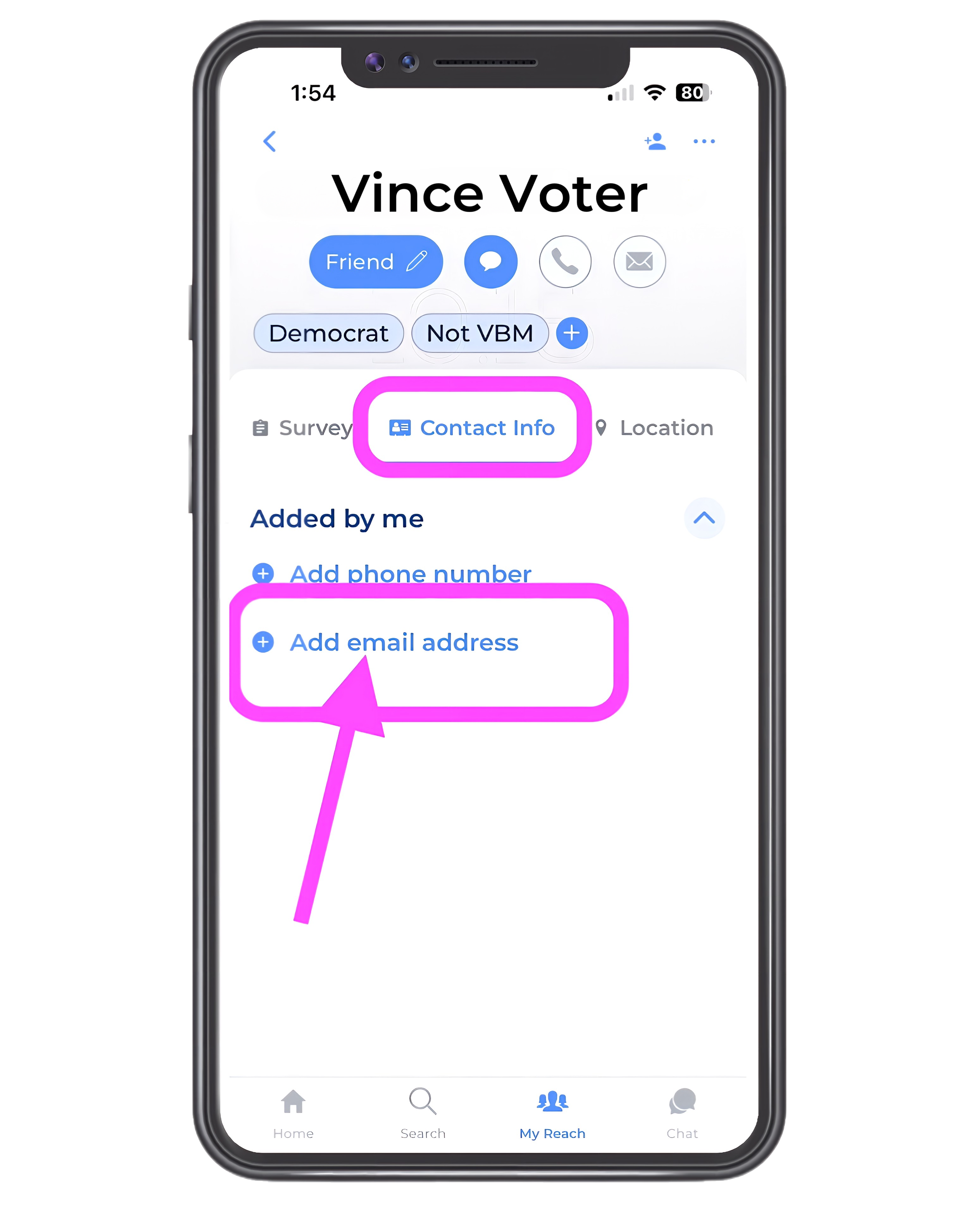
EXAMPLE: Adding Email Information
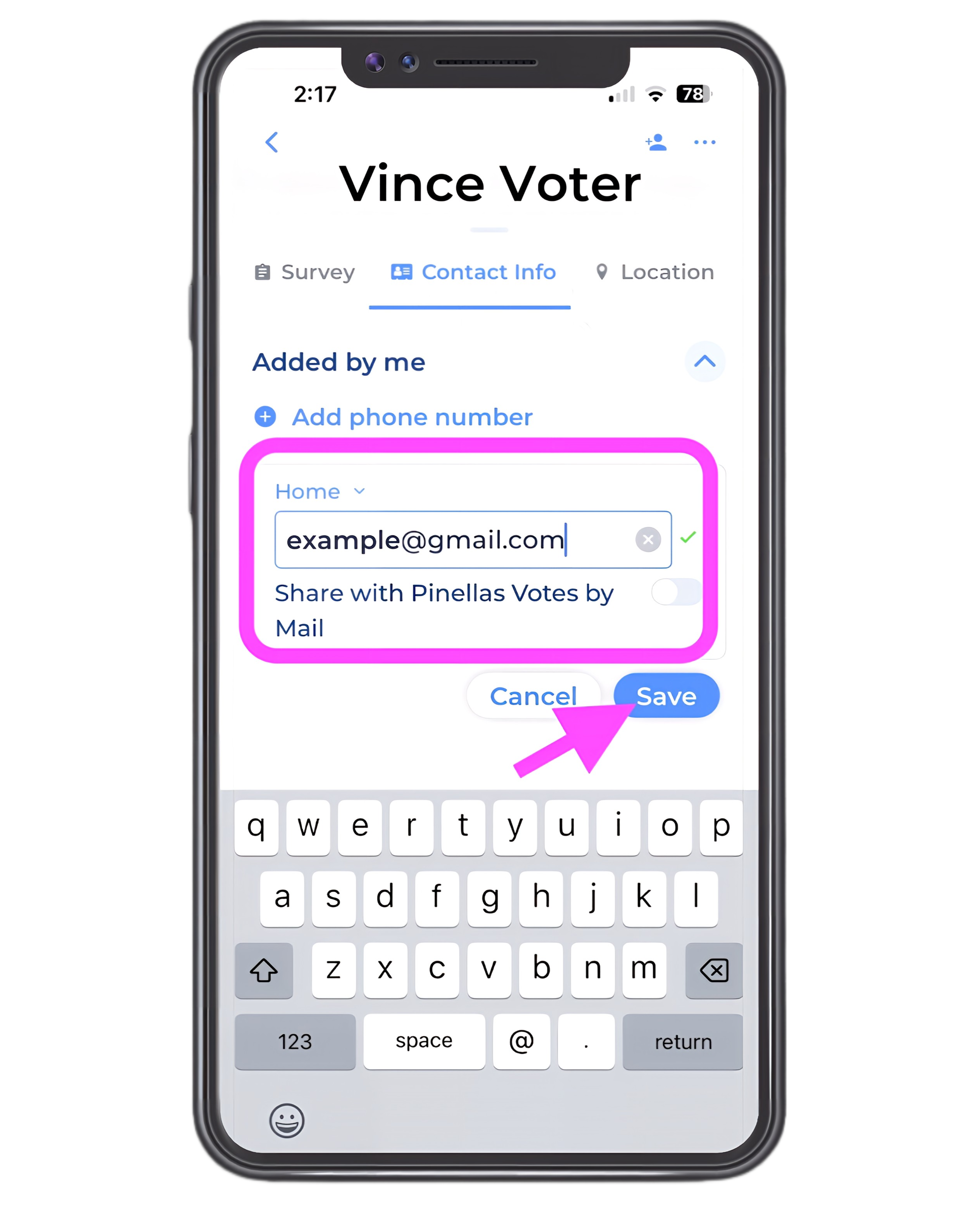
You’ll see that there is a place to insert the email address you want to add.
NOTE: Please do not share this information with Voter Action Pinellas. We will never contact your voter.
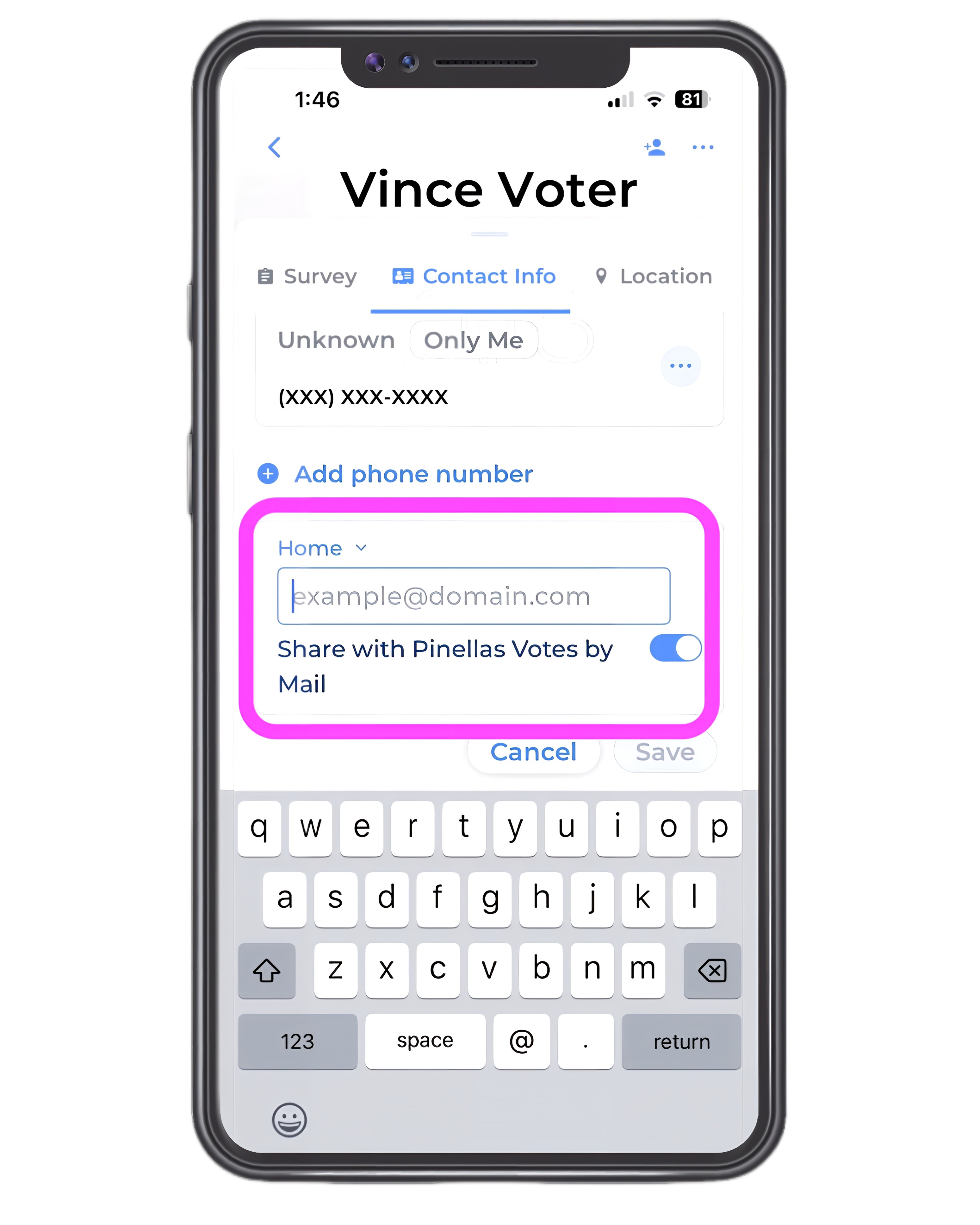
Type in the email address, deselect the “Share” option, and select Save.
You’ll see the email address appear. If you’ve chosen not to share the information it will indicate “only me.”
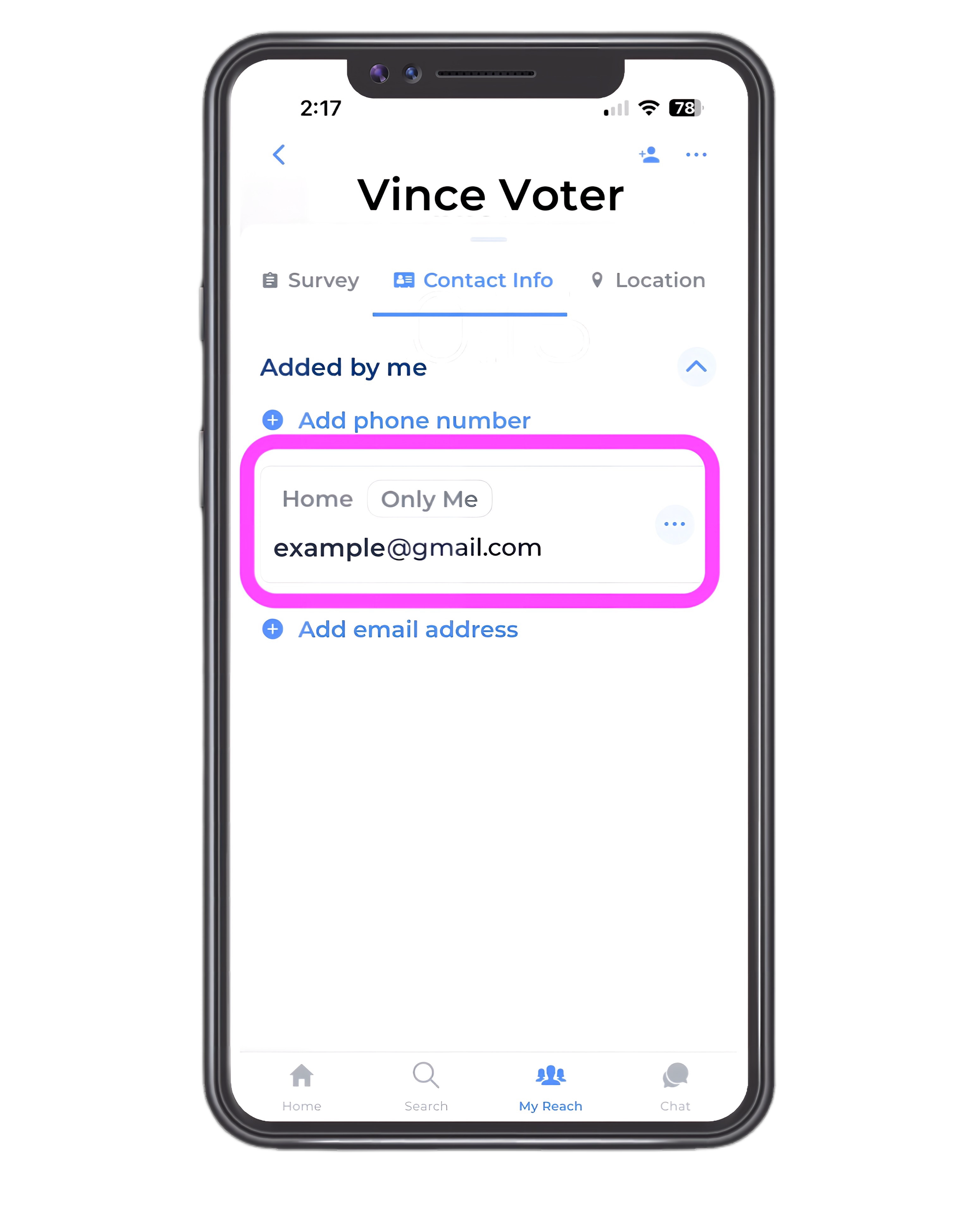
When you return to the home screen for the voter, you’ll see that the option for the type of information you added is highlighted in blue.
You’re ready to contact the voter with that contact information.